

Staff & Scheduling
Build next week's schedule in minutes — and watch the labor cost.
Drag-and-drop scheduling that shows your labor cost as you build, flags overtime before it happens, and lands on every employee's phone the moment you publish.
The problem:
Scheduling in a spreadsheet means you don't see the labor cost until it's too late, overtime sneaks up on you, and half the team never sees the latest version.

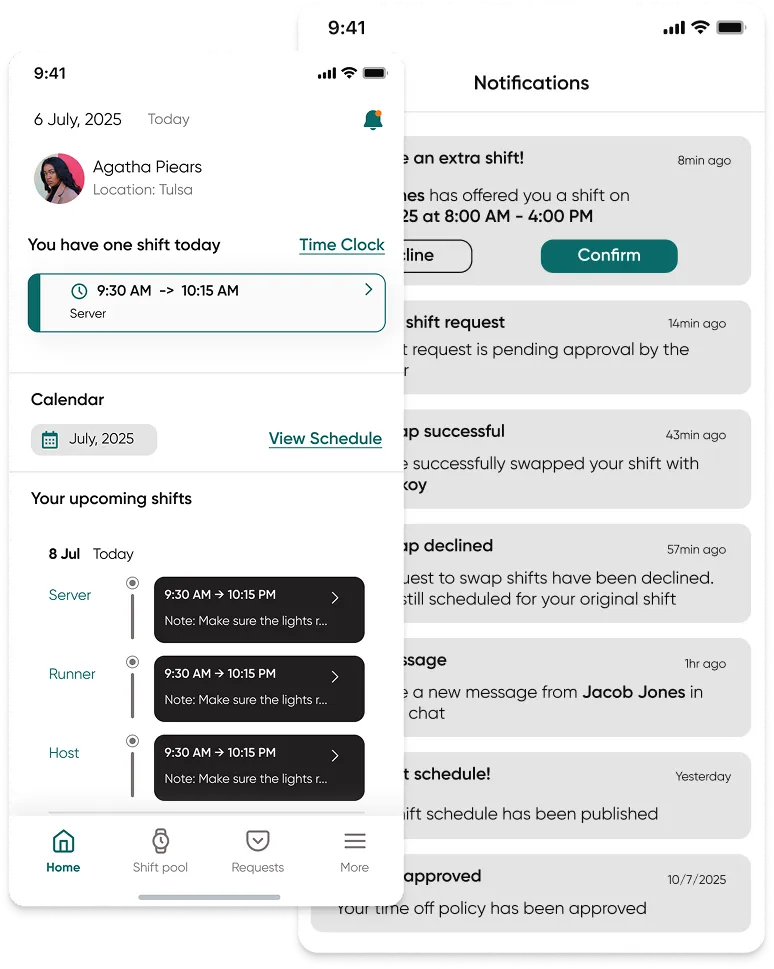
Employee app
Scheduling in a spreadsheet means you don't see the labor cost until it's too late, overtime sneaks up on you, and half the team never sees the latest version.
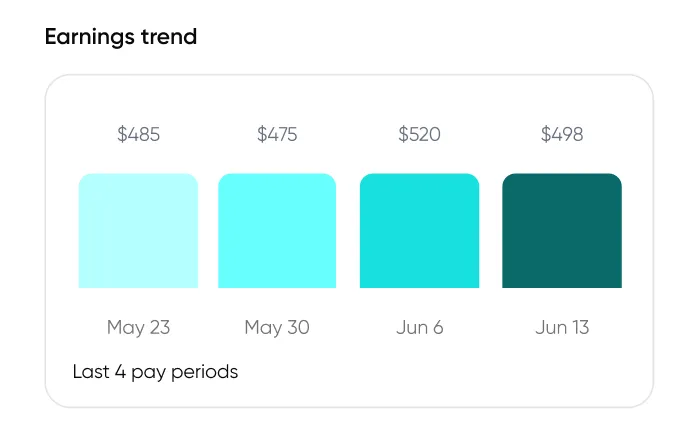
Key capabilities:
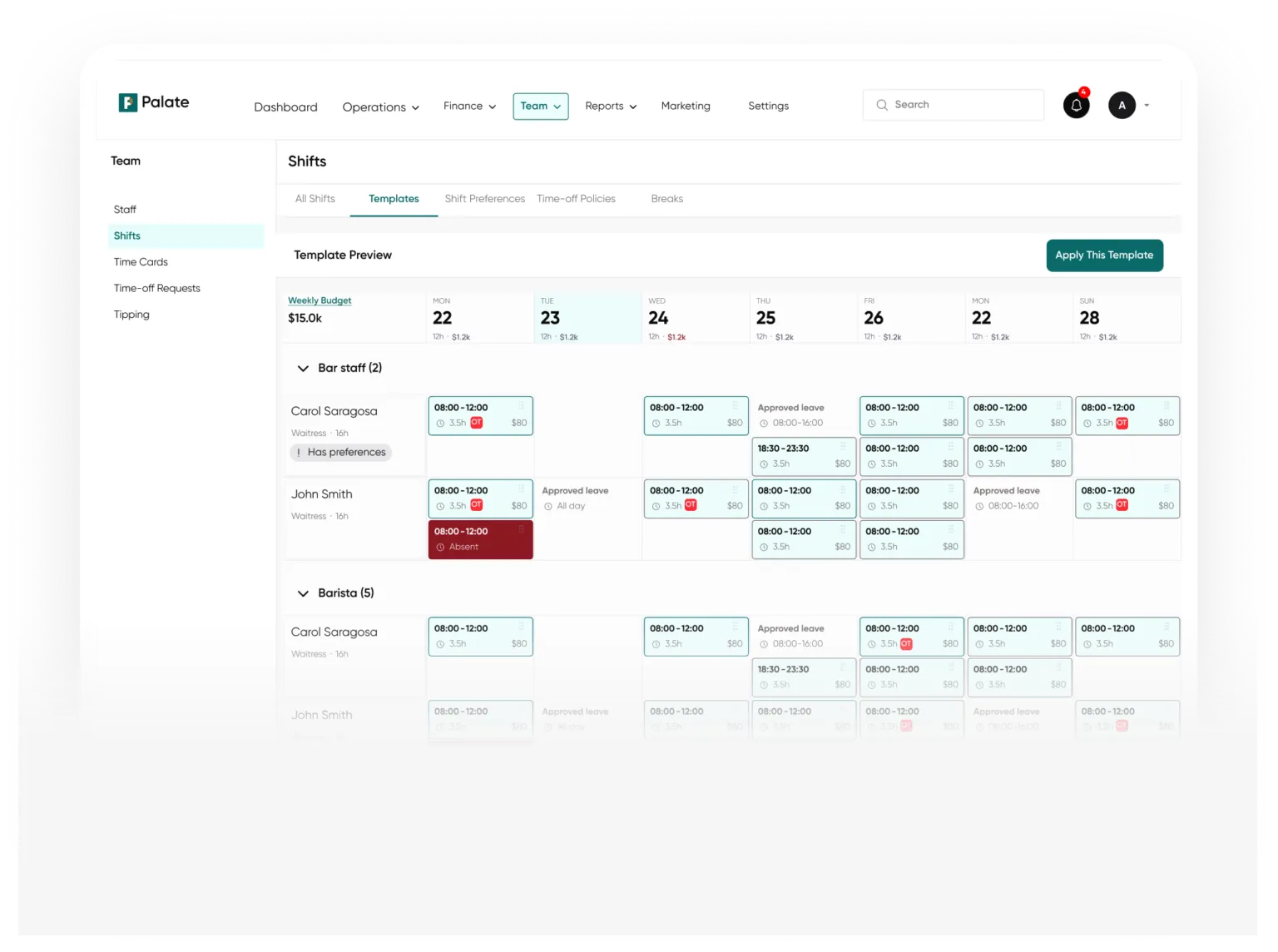
Drag-and-drop scheduling. Build the week fast, copy last week as a starting point, and fill open shifts in seconds.
Labor cost as you go. See the cost of the schedule add up in real time, against your sales — no more month-end surprises.
Overtime warnings. Palate flags when someone's headed for overtime before you publish, not after payroll.
The team's phone. Employees see their schedule, pick up open shifts, and request swaps from the Palate app.

How it connects:
The schedule, the time clock, and payroll are the same system, so scheduled hours, actual punches, and what you pay all line up without re-keying.